Present your vineyard identity with this curated set of wine label mockups and packaging templates. We built this library for graphic designers who need to visualize brand concepts on physical glass and cardboard. These assets help you demonstrate how light hits a textured label or how a logo sits on a dark Bordeaux bottle.
Our team hand-picked these files based on lighting accuracy, smart object usability, and high-resolution textures. We prioritized wine bottle mockups that feature realistic glass reflections and customizable foil effects. You'll find professional PSD files with organized layers to test different paper stocks and capsule colors quickly.
Wine Packaging Mockups: Premium Bottle and Label Set

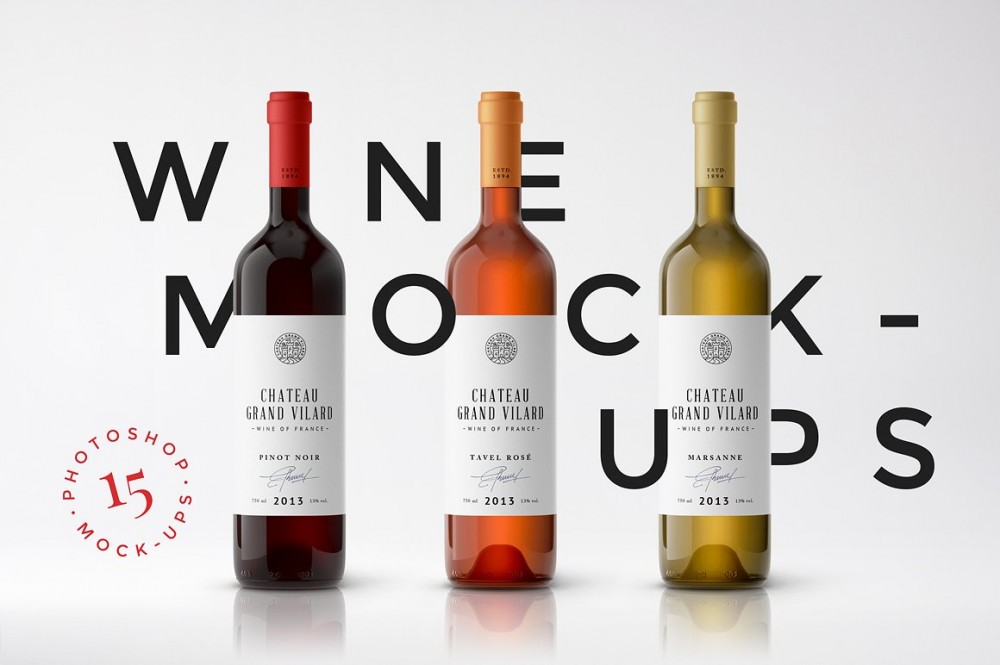
This collection provides a series of photorealistic Adobe PSD files for wine label, bottle, and packaging visualization. Each template uses smart layers to facilitate the placement of custom artwork onto labels. Users can modify the color of the glass bottles and adjust background elements to suit specific branding requirements. The layout is flexible, allowing for the rearrangement of bottles and secondary objects within the digital workspace.
The Premium Collection includes diverse high-resolution mockups that emphasize realistic textures and lighting. These files allow for granular control over the final image, including the ability to toggle shadows and highlights. All assets are organized with clearly labeled layers to maintain a professional workflow. This set covers standard wine bottle shapes alongside their corresponding retail packaging boxes.
All-In-One Wine Bottle Mockup: The Ultimate Branding Tool
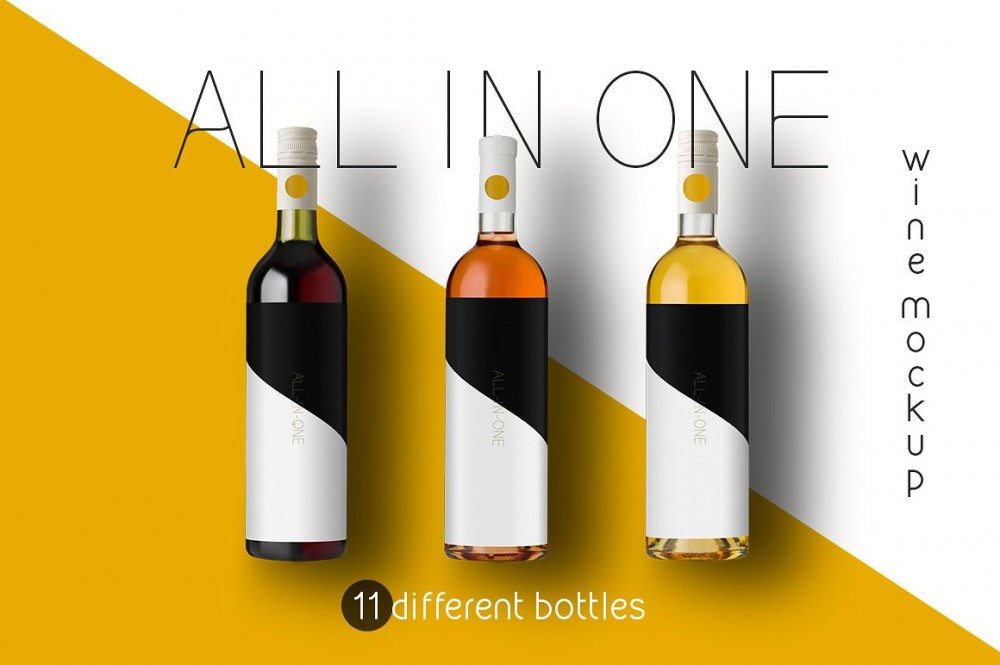
Finding a way to showcase a winery brand without expensive photoshoots is a headache, but the All-In-One Wine Bottle Mockup fixes that. I spent some time playing with this file and the realism is impressive. It covers all the bases for a professional Premium Collection presentation. You get distinct bottle shapes for both Burgundy and Bordeaux styles. And the lighting feels natural rather than artificial.
The customization options are where this tool really shines. You can swap between white, rosé, and red wine colors in seconds. It allows you to modify the label shape and design to fit your specific artwork. You'll also find three different shadow settings and a changeable background to match your aesthetic. It doesn't overcomplicate the process. But it gives you enough control to create a high-end look for any packaging project.
Wine Bottles in Wooden Box Mock-up Pack: Premium Visuals
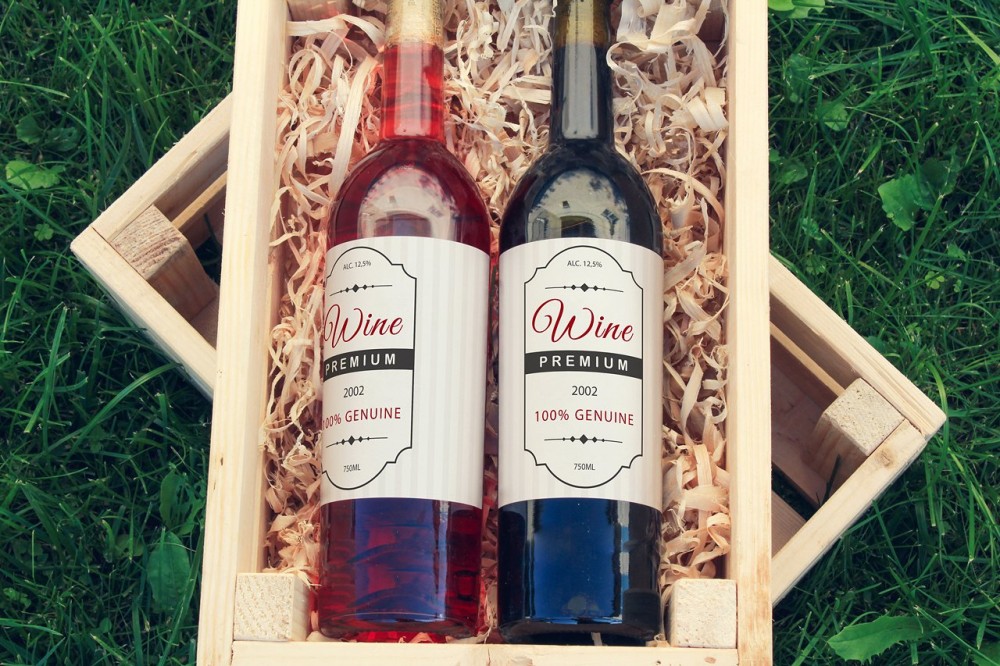
Wine Bottles in Wooden Box Mock-up Pack delivers a tactile, high-end presentation that moves beyond flat digital renders. This specific kit within the Premium Collection focuses on the interplay between glass textures and raw timber grains. It replaces generic backdrops with a structured physical environment. You get a photorealistic stage for your Wine Label and surrounding branding assets without hiring a lighting crew.
The technical workflow relies on a smart layer system to handle complex distortions. Users drop a flat screenshot into the designated container and save the file to update the entire scene. This process maintains the perspective of the bottle and the interior of the wooden box automatically. It eliminates manual warping while preserving natural shadows and reflections across the packaging surfaces.
Wine Bottle Mock-Up on Corks: Premium Packaging Visuals

Built for restaurant owners and winery marketers, the Wine Bottle Mock-Up on Corks brings a tactile, organic atmosphere to digital booklets and menus. This PSD file centers on a classic industry aesthetic where the bottle rests atop a dense bed of corks. Efficiency defines the workflow here. Instead of adjusting hundreds of individual elements, you only need to edit 3 smart objects to transform the appearance of the entire cork mass. Multiple smart layers allow for precise control over the wine label and bottle details, ensuring your branding integrates with the Premium Collection textures.
The technical architecture allows for rapid iteration during client presentations. You get high-end packaging mockups without the overhead of a custom photo shoot.
Glass of Wine Mock-up #8: Professional Packaging Visuals

Glass of Wine Mock-up #8 departs from standard flat renders by utilizing a high-fidelity photo base that captures light refraction through the liquid. This asset from the Premium Collection focuses on realism, allowing designers to drop a logo directly onto the smart layer for an immediate result. It bypasses the need for complex 3D modeling while maintaining a high-end aesthetic.
The technical structure relies on a layered PSD file that keeps your artwork separate from the environmental lighting. This organization allows for quick iterations during the client approval phase. You can swap branding elements in seconds without affecting the underlying wine label or bottle shadows.
Integrated photo filters provide immediate color grading options to match your brand identity. These adjustments work across the entire composition to ensure the glass and packaging elements feel cohesive. The final output provides a clean, professional presentation suitable for digital portfolios or print catalogs.
Two Wine Glasses Mockup: Realistic Red Wine Presentation
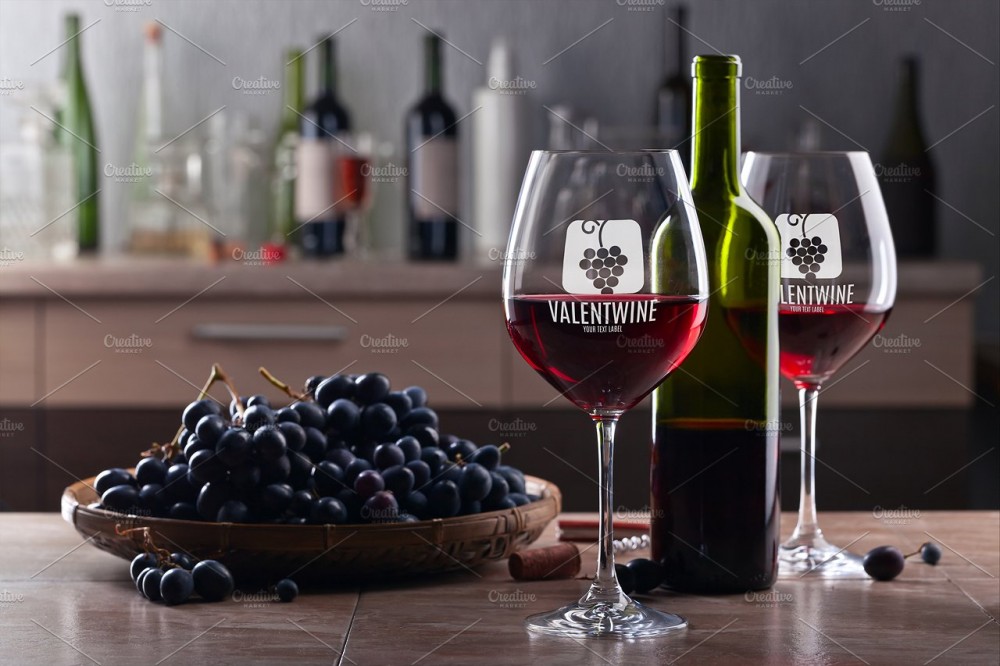
The Two Wine Glasses Mockup pairs crystal clear glassware with two distinct bottles to give your label designs a grounded, realistic feel. Most templates feel stiff, but this one captures the lighting on the red wine perfectly. I spent a few minutes testing my latest designs using the Adobe Photoshop Smart layers included in the file. You just drop your artwork onto the designated layer and the software handles the perspective and curves. It’s a fast way to see how your branding looks on physical packaging mockups without a full photo shoot. The contrast between the liquid and the glass helps your colors pop against the dark bottle tones.
And since the setup includes both a bottle of red and a standard wine bottle, you get more variety for your premium collection. It's a reliable tool for any designer who needs quick results that don't look like cheap CGI.
Wine Case Mock-up: Photorealistic Branding Kit

This Wine Case Mock-up functions as a complete digital staging ground for winery branding. The high-resolution PSD file integrates a wine label, a glass bottle, and a shipping case into a single workspace. It effectively bridges the gap between a raw graphic design and a finished retail product.
Designers can toggle various atmospheric elements to suit specific vintages. Red wine fruits are positioned beside the bottle on independent layers, allowing for instant removal or repositioning. Every physical object utilizes a single smart layout, ensuring that logos wrap naturally around the box corners and glass curves.
Modification requires zero manual warping or complex masking. This addition to the Premium Collection simplifies the process of visualizing how a label interacts with its bulk packaging. Simply drop your vector art into the designated layers to produce a professional winery presentation.
Wine Mock Up: Premium Label and Bottle Scene Generator
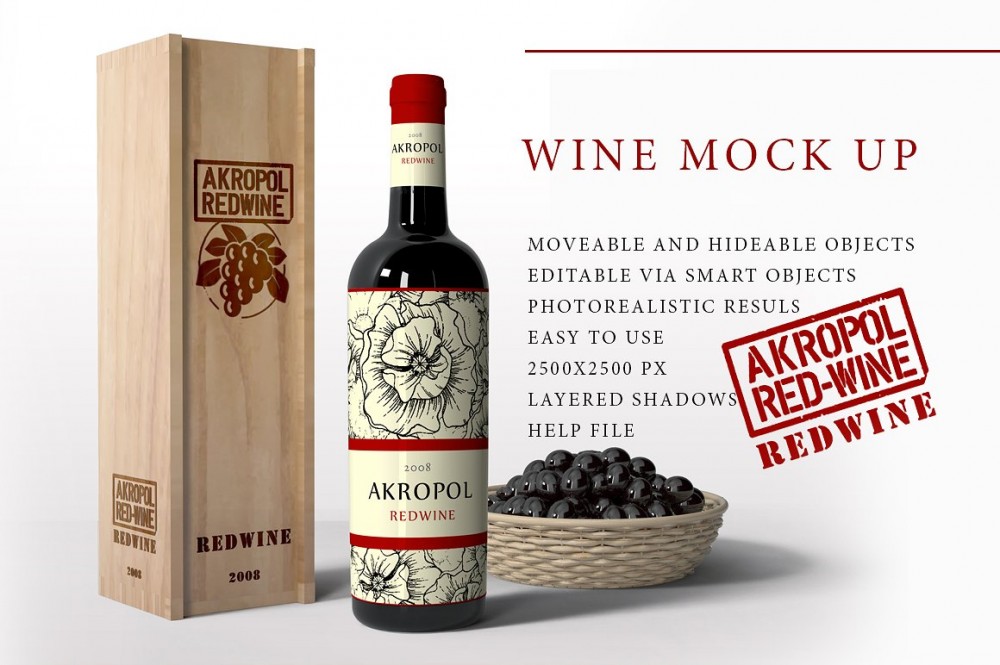
Wine Mock Up is a scene generator that helps you visualize your branding on bottles and packaging. I played around with this kit recently and loved how much control you get over the layout. It isn't just a static image. You can actually move items around to create a custom composition that fits your specific style. And since it belongs to a Premium Collection, the quality of the textures feels authentic rather than plastic or fake.
Every element sits on its own layer, so you can hide objects or rearrange them in seconds. It allows you to place your winery logo directly onto the wooden box and the wine bottle labels. You'll find that swapping out the artwork is a quick process. But the best part is how the shadows and highlights adjust when you shift things. It gives you a professional look without needing a full photography studio setup.
Wine Bottle Label: Photorealistic Mockup

This mockup features a realistic wine bottle designed to showcase your winery branding. It focuses on high-quality textures that reflect light naturally, giving your portfolio a professional edge. You can swap out the artwork instantly using the Adobe Photoshop smart layer included in the file. This simple setup saves you from manually warping labels to fit the glass curvature.
The asset belongs to a Premium Collection with Wine Label, Bottle and Packaging Mockups, so it matches other items in that set for a consistent presentation. You get a clean, high-resolution base that highlights small typography and intricate logo details clearly. It handles the heavy lifting of lighting and shadows while you focus on the creative side of the Wine Bottle Label design. Just drop your file into the smart object and save to see the results.
Wine Label Mock-up: Pro Packaging Visualization

Winery owners and brand designers can now bypass the tedious manual labor of digital staging with the Wine Label Mock-up. This tool eliminates the requirement for complex cropping or perspective adjustments that typically plague high-end bottle renderings. Instead of wrestling with layer masking, users simply insert their graphic into the designated smart layer. Photoshop handles the geometric warping and lighting calculations automatically, producing a realistic red wine bottle presentation in seconds.
This release functions as a core component of the Premium Collection with Wine Label, Bottle and Packaging Mockups, prioritizing speed without sacrificing visual fidelity. Most digital assets require significant fine-tuning to match the curvature of glass, yet this system manages those transitions internally. It provides a direct path from a flat design file to a professional winery offer. By automating the technical heavy lifting, the workflow remains focused on the label art itself rather than the software mechanics.