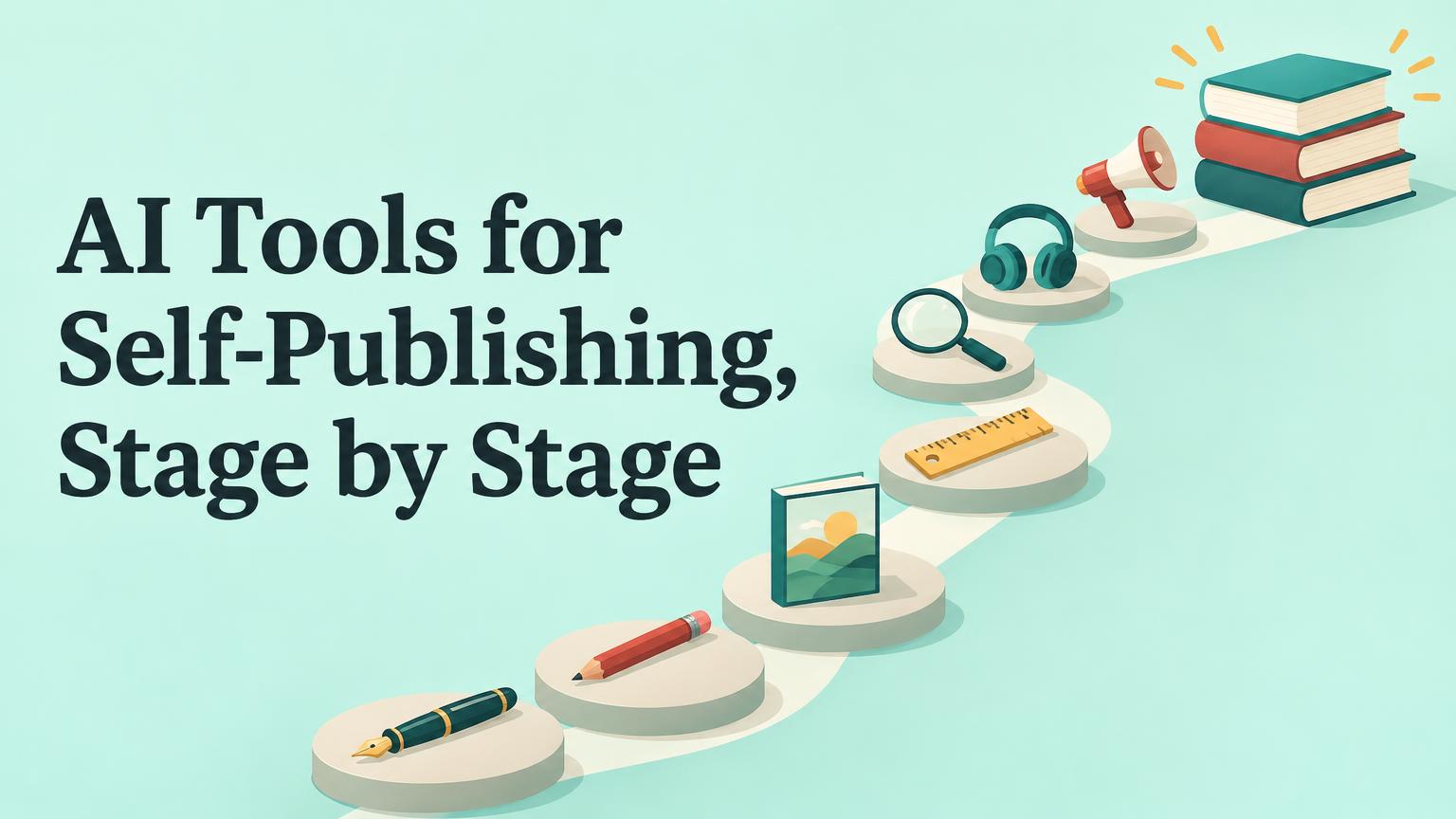
Self-publishing means doing seven jobs a publisher would share out: writing, editing, the cover, the interior, the Amazon listing, the audiobook and the marketing. AI helps with most of them, though not equally.
This list is for authors who publish on Amazon KDP and want one plain answer per stage. Every price, plan and rule below was checked on the vendor's own pages on November 25, 2026.
We make BookNova and TextBuilder, which appear in this list. Everything else comes from each company's own pages, read on November 25, 2026, and linked at the end. No company paid to be included.
Quick picks
- Best for writing fiction: BookNova. The whole novel, plus KDP files.
- Best for writing non-fiction: TextBuilder. Guides and workbooks, with print wrap.
- Best for editing a draft: ProWritingAid. Deep reports inside Word.
- Best for a do-it-yourself cover: Canva. AI pictures and real title text, free.
- Best for Amazon keywords: Publisher Rocket. Paid once.
- Best for a free audiobook: KDP Virtual Voice. Amazon's narration, by invitation.
How we picked
- One stage done well. Each tool earns its place in one job.
- Fit for KDP. The right sizes, files and rules for Amazon.
- A clear price and clear rights. One-time prices, free plans, fair refunds and terms that leave your book yours.
We compared vendor pricing pages, help pages and terms; we did not run every tool on a real book. Where the best tool for a stage has no AI, we say so.
The self-publishing toolkit at a glance
| # | Tool | Stage | Free option | Starting price |
|---|---|---|---|---|
| 1 | BookNova | Write (fiction) | No, 30-day refund | $59 once |
| 2 | TextBuilder | Write (non-fiction) | No, 30-day guarantee | $59 once |
| 3 | ProWritingAid | Edit | Yes | $30 a month |
| 4 | AutoCrit | Edit | Yes | $30 a month, $15 yearly |
| 5 | Grammarly | Edit | Yes | $30 a month, $12 yearly |
| 6 | Canva | Cover | Yes | Free; Pro trial |
| 7 | Ideogram | Cover | Weekly credits | $20 a month, $15 yearly |
| 8 | Kindle Create | Format | Free | Free |
| 9 | Atticus | Format | No, 30-day refund | $147 once |
| 10 | Publisher Rocket | Keywords | No, 30-day refund | $199 once |
| 11 | BookBeam | Keywords | No, 7-day refund | $47 a month |
| 12 | KDP Virtual Voice | Audiobook | Free, invite only | Free |
| 13 | ElevenLabs | Audiobook | Yes | $6 a month |
| 14 | Book Brush | Marketing | 3-day trial | $149 a year |
| 15 | ChatGPT | Marketing | Yes | $8 a month |
Stage 1: Write the book
BookNova
Best for: a novel, a series or a children's book, ready for KDP
- Price: one payment from $59 (50,000 words every 30 days); Pro $99
- Free plan: none; 30-day refund on a first plan
- KDP files: from Pro, interior, cover with spine, EPUB, DOCX, plus Lulu and Draft2Digital files
- Genres: romance, thriller, mystery, horror, fantasy, sci-fi, children's books, YA
You give it a premise. BookNova builds a Story Bible, the characters and a chapter plan you can edit, and planning costs no credits. Then it writes in order while tracking who knows what and which threads are open. Auto mode writes the whole draft in 30 to 90 minutes; Sail mode lets you steer each chapter. From Pro it also prepares the KDP listing: description, keywords, categories and Amazon's AI question. Over 13,000 books were finished with it by November 22, 2026.
Choose it if you want a finished novel or picture book with its KDP files. Skip it if you write non-fiction or only want line edits.
TextBuilder
Best for: non-fiction books, workbooks and guided journals
- Price: one payment from $59 (50,000 credits every month, one credit per word); Pro $99
- Free plan: no free plan, a 30-day money-back guarantee instead
- KDP files: from Pro, EPUB, DOCX, KDP interior and wraparound cover with spine
- Book types: 16, such as workbook, guided journal, how-to and study notes
TextBuilder writes the whole non-fiction book, and the practice pages come with the book type you pick, such as the exercises and checklists of a workbook. Your own notes can be the source (.docx, .pdf, .md or .txt), in more than 50 languages. Its Continuity Anchor locks figures, dates and names, so chapter 12 agrees with chapter 2. The cover comes in one of 15 styles, with the back-cover blurb and author bio drafted free. It does no Amazon keyword research; pair it with stage 5.
Choose it if you are writing a guide, workbook or journal. Skip it if you write fiction.
Stage 2: Edit the manuscript
More in the best AI editing tools for authors.
ProWritingAid
Best for: deep self-editing where you already write
- Price: Premium $30 a month, $120 a year or $399 lifetime
- Free plan: each report twice a day on 500 words
- Works in: Word, Google Docs, Scrivener and its own editor
- Refund: 3 days on yearly and lifetime, none on monthly
ProWritingAid runs more than 25 reports on your text, from overused words to pacing and dialogue tags. Its AI rephrases sentences and critiques chapters, and its responsible AI page says none of its AI features is meant to write for you. Whole-manuscript reports cost extra Story Credits. It works in English only. The free plan is a fair test on your own pages, but 500 words at a time will not edit a book.
Choose it if you edit your own drafts in Word or Google Docs. Skip it if you want a long refund window.
AutoCrit
Best for: genre-aware fiction feedback at one flat price
- Price: Pro $30 a month, or $15 a month billed yearly
- Free plan: Free Forever editor with a few reports
- Pro adds: Story Analyzer+, automated alpha and beta readers
- Export: EPUB and PDF formatting on Pro
AutoCrit compares your prose with published books in your genre and flags the habits that slow readers down. On Pro, Story Analyzer+ reads the whole manuscript for plot, character and structure problems, and AI reader profiles react to your chapters. Use is unlimited, with no credit packs to buy. It works in its own web editor rather than inside Word. Yearly plans can be refunded within 60 days, minus $30 for each month started.
Choose it if you write fiction and hate counting credits. Skip it if you want to stay in Word.
Grammarly
Best for: a free grammar check as you type
- Price: Pro $30 a month, or $144 a year
- Free plan: yes, with 100 AI prompts a month
- Pro adds: 2,000 AI prompts a month
- Best use: chapters, blurbs and emails
Grammarly is the lightest editing step here. The free plan fixes grammar and spelling and shows your tone, which catches most typos in a blurb or chapter. Its plans page lists grammar, tone and AI prompts rather than manuscript-wide reports such as pacing or repeated words, so it pairs well with one of the two tools above. Pay for Pro only if you will use its AI to rewrite text often.
Choose it if you want a free safety net. Skip it if you need book-length reports.
Stage 3: Make the cover
Designing your own? See the best AI book cover generators.
Canva
Best for: designing your own cover with AI pictures and real title text
- Price: free plan; Pro has a free trial, price on its pricing page
- Free plan: Dream Lab and Magic Media image tools are marked free
- Rights: you own your AI output, except Canva library content
- Spine: no KDP spine calculator found; use KDP's cover calculator
Canva puts book cover templates and an AI image generator in one editor. That matters because AI pictures can misspell titles: here you set the title as normal text over the picture, so every letter is right. Magic Edit and Magic Expand, which change or extend a picture, are Pro features. Its AI terms say outputs may not be unique, so others can get similar images, and forbid passing AI content off as human-made.
Choose it if you want to design the cover yourself. Skip it if you want the spine done for you.
Ideogram
Best for: AI cover art with readable lettering
- Price: Plus $20 a month, or $15 a month billed yearly
- Free plan: weekly credits; free images are public
- Rights: no ownership claimed, commercial use allowed
- Text: most accurate in English; accents can go wrong
Ideogram is built around putting words into images, which makes it a good first stop for a title on the art itself. Paid images stay private until you publish them, and Plus includes 2,400 priority credits a month. Free accounts must sign in with Google, Apple or Microsoft and can download JPEG at the original size only. There is no free trial on subscriptions. It makes a front image, not a print wrap.
Choose it if you want art with the title already in it. Skip it if you need a full paperback wrap.
Stage 4: Format the interior
Formatting tools have no AI and need none. BookNova and TextBuilder do this step from Pro.
Kindle Create
Best for: free formatting of a simple, text-heavy book
- Price: free download from KDP
- Free plan: the whole tool
- Runs on: Windows 10 or later, macOS 10.15 or later
- AI: none
Amazon's own tool turns a Word file into a Kindle ebook and a paperback, with themes, a table of contents and image placement. KDP says it is designed for text-heavy books with simple layouts, such as novels, essays and memoirs. For paperbacks it does not support tables, footnotes, endnotes or pictures that bleed to the page edge. It can also build print replica and comic ebooks, with the menus in eight languages.
Choose it if you wrote a novel or memoir and want to spend nothing. Skip it if your book has tables.
Atticus
Best for: full layout control on any computer, paid once
- Price: $147 once, updates included
- Free plan: no; 30-day money-back guarantee
- Runs on: Windows, Mac, Linux, Chromebook, browser
- Files: imports DOCX; exports EPUB, PDF, DOCX
Atticus is an editor and formatter in one, with 17 templates and a preview on different devices. It works offline, backs up to the cloud and comes with a 30-day refund. We found no AI features on its pages. On a Mac, Vellum is the usual alternative: Mac only, no AI, $199.99 for ebooks or $249.99 with paperbacks. Reedsy Studio is free in the browser and exports print-ready PDF and EPUB.
Choose it if you format your own books and want one payment. Skip it if Kindle Create is enough.
Stage 5: List the book and pick keywords
KDP gives you seven keyword phrases and a choice of categories.
Publisher Rocket
Best for: keyword and category research a few times a year
- Price: $199 once
- Free plan: no; 30-day money-back guarantee
- Tools: keywords, 19,000+ categories, competition, ad keywords
- AI: none listed
Publisher Rocket shows what buyers type into Amazon, how many books compete and how well the top ones sell. You use it before writing, when you fill in the keyword fields, and again for ads. It is a desktop program for Windows and Mac and covers eight Amazon stores, from the US to Australia. Its homepage urges buyers to act "before it becomes an annual subscription", so the one-time price may not last.
Choose it if you publish a few books a year. Skip it if you want live data on Amazon pages.
BookBeam
Best for: frequent publishers who track niches every week
- Price: $47 to $119 a month; $282 to $789 for a first year billed yearly
- Free plan: no trial; 7-day money-back guarantee
- AI: AI Assistant and AI Editor credits on every plan
- Also: Chrome extension with sales estimates on Amazon pages
BookBeam is a research suite: a niche finder over more than 200 million books, keyword and reverse keyword tools, category history, a trademark checker and a book tracker. Its AI credits help with outlines, descriptions and editing. The cheapest plan allows 120 Niche Finder searches and 35 reverse keyword lookups a month. Yearly prices are marked "for the first year", so check the renewal price, and do your heavy research inside the refund week.
Choose it if you run a catalog in several niches. Skip it if you publish once a year.
Stage 6: Make the audiobook
See also AI audiobook narration tools.
KDP Virtual Voice
Best for: a free AI audiobook of a book already on KDP
- Price: free at this time
- Free plan: invite-only beta for eligible KDP ebooks
- Where: US marketplace; on Amazon or Audible within 72 hours
- List price: $3.99 to $14.99, set by you
Virtual Voice is Amazon's computer-generated narration, started from your KDP Bookshelf. You pick a voice from samples, listen, and fix words in Virtual Voice Studio. While the audiobook is pending, it and your ebook are locked for editing. Royalties have their own KDP help page, so read it before you set a price. It is the cheapest route by far, but you cannot ask for it: you wait for the invitation.
Choose it if the option appears on your Bookshelf. Skip it if you want your own audio files.
ElevenLabs
Best for: choosing your voices and owning the audio files
- Price: Starter $6 a month with a commercial license; Creator $22
- Free plan: 10,000 credits a month, no commercial license listed
- Publishing: ElevenReader, free: 60% of direct sales plus $0.20 per hour streamed
- Rights: no exclusivity; you keep full rights
ElevenLabs is a voice studio: choose or design voices, fix pronunciation, export the audio. Its ElevenReader Publishing route narrates an uploaded EPUB and publishes it to its app, with distribution to Spotify and other partners, or you download the files and sell them elsewhere. Its page puts production at free to about $200 per book in credits. The free plan's three Studio projects are enough to hear a chapter first.
Choose it if you want control of voices and files. Skip it if you have Virtual Voice.
Stage 7: Market the book
Book Brush
Best for: ad images, 3D mockups and cover reveals
- Price: Plus $149, Gold $199 or Platinum $246 a year
- Free plan: no; 3-day free trial
- Tools: Instant Mockups, animated mockups, Cover Creator
- AI: no AI image generator found
Book Brush turns a finished cover into the pictures that sell it: 3D books, phone screens, social posts and ads. Its Cover Creator has hundreds of templates for print, ebook and audio, and it sizes a print spine from your page count. Gold unlocks every feature, and each plan starts with the trial. It works from templates and stock images, not from generative AI, which keeps the disclosure question simple.
Choose it if you advertise on social media or Amazon. Skip it if you only need the cover.
ChatGPT
Best for: first drafts of blurbs, ad copy and newsletters
- Price: Go $8 a month, Plus $20 a month (US)
- Free plan: yes, with limits
- Rights: OpenAI assigns you its rights in the output
- Rule: its terms forbid presenting output as human-made
A chatbot is handy around a book: ten versions of a back-cover blurb, an Amazon ad headline, a launch email, a reader survey. Paste your own blurb and ask for shorter or warmer versions rather than starting from nothing. OpenAI says Go gives ten times the messages, uploads and image creation of the free tier, and may include ads. Never let it invent review quotes or sales numbers for an ad.
Choose it if you need marketing words quickly. Skip it if you want a whole book written.
A realistic AI self-publishing budget for one book
KDP charges nothing to publish; printing comes out of your royalty. Proofs you pay for: on Amazon.com a black-ink paperback of 110 to 828 pages costs $1.00 plus $0.012 a page to print, so a 300-page proof is $4.60 plus shipping.
| Stage | Shoestring | Middle | Full stack |
|---|---|---|---|
| Write | You, $0 | BookNova or TextBuilder Pro, $99 once | BookNova or TextBuilder Platinum, $179 once |
| Edit | Grammarly free | ProWritingAid, $120 a year | AutoCrit $180 a year plus Grammarly Pro $144 |
| Cover | KDP Cover Studio or Canva free | Included in Pro | Ideogram Plus, $180 a year |
| Format | Kindle Create | Included in Pro | Included in Platinum |
| Keywords | Amazon search bar | Publisher Rocket, $199 once | BookBeam Publisher, $478 first year |
| Audiobook | Virtual Voice if invited | Virtual Voice or ElevenReader, $0 | ElevenLabs Creator, one month $22 |
| Marketing | $0 | $0 | Book Brush Gold $199, ChatGPT Plus one month $20 |
| Two proofs | $9.20 | $9.20 | $9.20 |
| Total | About $10 plus shipping | About $427 | About $1,411, year one |
- Shoestring costs time, not money. You write and format by hand.
- Middle is mostly one-time payments. BookNova and TextBuilder refresh their allowance monthly, so book two adds nothing to the writing line.
- Full stack is mostly subscriptions, worth it at several books a year.
Whatever you spend, declare AI-written text and AI cover images to Amazon: see what to tick in the KDP AI disclosure.
Which one should you choose?
- If you want a finished novel, pick BookNova.
- If you want a guide, workbook or journal, pick TextBuilder.
- If you wrote the book and want to polish it, pick ProWritingAid, or AutoCrit for fiction.
- If you need keywords, pick Publisher Rocket.
- If you want an audiobook, check for KDP Virtual Voice, otherwise use ElevenLabs.
FAQ
What is the best AI tool for self-publishing on KDP?
No single tool covers every stage. BookNova (fiction) and TextBuilder (non-fiction) cover writing, cover and interior; add an editor and a keyword tool. See also the best AI novel writers.
Can I sell a book made with AI tools on Amazon?
Yes. Declare AI-generated text, images and translations to KDP; AI used only to edit your own writing needs no declaration. More in is it legal to sell a book written with AI.
Is there a free AI audiobook option for KDP authors?
KDP Virtual Voice is free at this time, as an invite-only beta in the US. ElevenReader Publishing is free too.
Sources
Read on November 25, 2026 (earlier dates where stated):
- BookNova and TextBuilder: owner fact sheets (book count as of November 22)
- ProWritingAid pricing (US prices from an archive of November 19, 2026), guarantee and responsible AI (November 24)
- AutoCrit pricing and terms (refund, November 24)
- Grammarly plans and Pro prices in US dollars
- Canva book cover maker, Pro and AI Product Terms
- Ideogram pricing and FAQ
- KDP Kindle Create and its paperback limits
- Atticus, Vellum, Reedsy Studio
- Publisher Rocket and its download page (platforms and stores, November 23)
- BookBeam pricing and features (November 23)
- KDP virtual voice beta and getting started
- ElevenLabs pricing and ElevenReader Publishing
- Book Brush plan pages, Cover Creator and pricing (spine, November 23)
- ChatGPT pricing, Go announcement, Plus help page, OpenAI terms
- KDP printing cost, proof copies, Cover Studio, content guidelines