Kit (the email platform formerly called ConvertKit) can send a free PDF to every new subscriber without any extra tool. The feature people search for as the "incentive email" still exists: Kit now calls it the Confirmation Email, and that rename is one reason so many creators think it has vanished or stopped working.
By the end you will have a PDF lead magnet, a Kit form or landing page that delivers it, a tested signup, a fix for each documented reason the email fails, and a plan for turning subscribers into income.
We make TextBuilder, the AI book writer mentioned in the PDF step. Everything about Kit comes from its own help center and pricing pages, read on November 28, 2026, and linked at the end. Kit did not pay for this article.
Short answer
- Method: open your form or landing page, click Settings, go to Confirmation Email (some builders still say Incentive), keep Send confirmation email checked, choose Download and upload your PDF.
- Plan: the Free plan is enough. It covers up to 10,000 subscribers and includes opt-in incentives. A welcome sequence after the freebie needs Creator, from $39 a month ($33 a month billed yearly).
- Time: roughly 30 to 60 minutes once the PDF exists, including a test signup.
- Not sending? Check, in this order: account approved, the checkbox on, the 12-hour resend rule, the spam folder, your sending domain.
What you need before you start
- A Kit account. Free works. New accounts must be approved before Kit sends any email, so submit yours early (a yellow bar at the top of the account means it is still waiting).
- A sending address on your own domain, like [email protected]. Kit's help center says Gmail, Yahoo and Hotmail addresses hurt deliverability and cannot be verified.
- The PDF, saved with a short filename: under 20 characters, no spaces, no underscores, no accented letters (for example seochecklist.pdf). Kit's download troubleshooting guide recommends exactly this.
- A place to collect emails: a Kit form embedded on your blog, or a Kit landing page if you have no website. Kit hosts the file for you, so you do not need Google Drive or Dropbox.
Terms: a lead magnet is a free resource you trade for an email address. An opt-in is a form where someone agrees to get your emails. Double opt-in means they also click a confirmation link before joining. A tag is a label on a subscriber, such as "pdf-checklist".
Step 1: Create the PDF
A lead magnet earns an email address when it gives one fast, specific win that matches what your blog is about. "My favourite recipes" is vague. "A 5-day freezer meal plan with a shopping list" is something a reader can use tonight. Aim for 5 to 20 pages: long enough to feel substantial, short enough to finish.
If you want a real, structured guide instead of a stretched blog post, TextBuilder is a good fit. You upload your own notes or old posts as source files and it writes a complete non-fiction book around them, from the outline to the last chapter, so the freebie reads like one coherent guide rather than a pile of tips.
- Formats that suit a freebie: book types include workbook, guided journal, step-by-step how-to and playbook.
- Your material: source files in .docx, .pdf, .md or .txt, and writing in 50+ languages.
- Cost: the Lite plan ($59, one payment) exports PDF and includes 50,000 credits a month. 1 credit = 1 word and a cover costs 2,500 credits, so a 6,000-word guide with a cover uses about 8,500 credits. There is no free plan, a 30-day money-back guarantee instead.
- Rights: every book comes with a Content Rights Certificate. More in our TextBuilder review.
The free route: write it yourself in Google Docs or Canva and export a PDF. It takes longer but costs nothing. Drafting with a chatbot? Read our ChatGPT prompts for lead magnets first.
Step 2: Create a form or landing page in Kit
Use a form to put the offer inside a blog post, or a landing page if you have no website or need one link for social bios. Both carry the same incentive email.
- In the left navigation, go to Audience growth > Landing Pages & Forms and click + New.
- Pick Form or Landing Page. For a form, also choose the display format: Inline (inside a post), Modal (pop-up), Slide-in or Sticky bar.
- Choose a template (you cannot change it later).
- Rewrite the heading and text so they name the PDF and its result, not "Join my newsletter".
- Optional tag: click a form field to save it as a Tag, or add a tag checkbox or dropdown, so you can see later which freebie each subscriber chose.
- Save. In the form builder, click Save & Publish (changes do not autosave there). The newer landing page builder autosaves, but changes only go live after you click Publish.
- Put it live: on a form click Embed and copy the JavaScript code (Kit's recommended option) or the WordPress shortcode; on a landing page click Share and copy the URL.
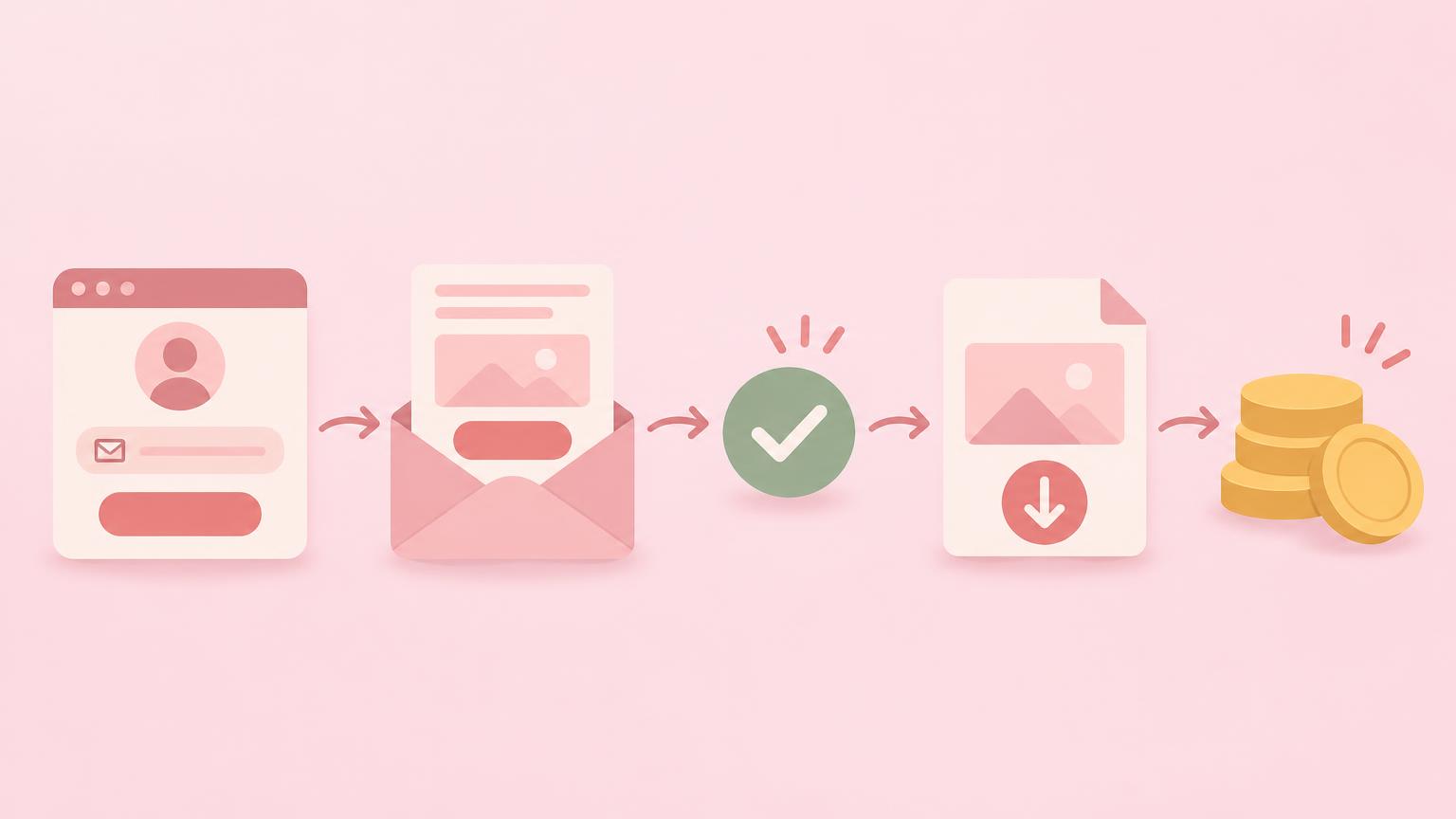
Step 3: Turn on the incentive email and attach the PDF
At the time of writing, these steps follow Kit's current confirmation email guide.
- Open the form or landing page and click Settings in the top toolbar. In the newer landing page builder, click the gear icon at the top right.
- Click Confirmation Email in the sidebar. On some forms and classic landing pages the same section is still called Incentive.
- Make sure Send confirmation email is checked. This is the switch that actually sends the PDF.
- Leave Auto-confirm new subscribers unchecked to keep double opt-in, which Kit recommends and uses by default. In the newer landing page builder the equivalent setting is Require double opt-in, which you leave on.
- Under After confirming redirect to (newer builder: After confirming, where do you want to send subscribers?), select Download, click Choose a file and upload your PDF.
- Wait until the filename appears, then click Save.
- Click Edit Email Contents. Check the From address (it should be on your own domain), write the subject line and the email body (copy-paste text below), and click Save.
- Publish the form or landing page again so the live version uses the new file.
Prefer a thank-you page? Choose URL instead of Download and paste a full https:// address of a public page that holds the download and your first offer.
How the two checkboxes work together, according to Kit's help center:
| Setting | What the subscriber gets | When they join your list |
|---|---|---|
| Send confirmation email on, Auto-confirm off (default) | The email, and the PDF when they click the button | Only after they click |
| Send confirmation email on, Auto-confirm on | The same email, and the PDF when they click | Straight away, even if they never click |
| Send confirmation email off | No email and no PDF. Double opt-in is also off | Straight away |
With the email off, you can only hand over the file by redirecting new subscribers (form Settings > General) to a download page, which skips email verification.
Copy-paste incentive email
Kit's own advice is to keep this email simple, so nothing distracts from the button. Personalization tags work in the body but not in the subject line.
Subject: Your free checklist is one click away

Hi [first name, inserted with Kit's personalization option],

Thanks for asking for [PDF NAME]. Click the button below to
confirm your email and your download starts right away.

[Button: Yes, send me the PDF]

Inside you get:
- [result 1, e.g. a 7-day plan you can start tonight]
- [result 2, e.g. the exact shopping list]
- [result 3, e.g. 3 mistakes to skip]

Over the next few days I will send you [what your emails are
about, how often]. If it is not for you, there is an
unsubscribe link at the bottom of every email.

[Your name]
P.S. Reply and tell me your biggest question about [topic].
I read every reply.
Also add a line to your form's success message, such as "Check your inbox (and Promotions or Spam) for an email from [Your name]". Kit suggests this because some providers filter strictly.
Step 4: Test it like a new subscriber
- Sign up with an email alias, for example [email protected]. Kit treats each alias as a new subscriber, and the emails arrive in your usual inbox (most major providers support this, but check yours).
- Do not test with an address on your sending domain: Kit says such tests often land in spam, though real subscribers are not affected.
- Click the button in the email and confirm the PDF opens on both desktop and phone.
- Delete the test subscribers afterwards, so they do not clutter your list or your subscriber count.
Step 5 (optional): A welcome sequence after the freebie
The incentive email delivers the file; a short welcome sequence turns a download into a reader. Visual automations and email sequences need Creator or Pro, so on Free you send follow-ups as one-off broadcasts.
- Go to Automation > Email Sequences, click + New sequence and write three emails: a welcome and quick tip on day 0, your best post on day 2, and a gentle offer on day 4.
- Switch on the Published toggle for each email, then set the sequence to Active. Kit sends nothing from an unpublished email or an inactive sequence.
- Go to Automation > Automations, click + New automation, then Start from scratch and Start building.
- Choose the entry point Joins a form and select your lead magnet form or landing page.
- Click the plus button below it, add an Action to add the subscriber to your sequence (and, if you like, add a tag).
- Flip the Active toggle at the top right. Automations are not retroactive: only people who sign up after you activate it will enter.
Kit incentive email not sending? Fixes
These are the causes Kit's help center documents. Work down the table in order.
| Problem | Likely cause | Fix |
|---|---|---|
| No email at all on a new account | The account is not approved yet, so Kit sends nothing | Click the yellow banner at the top of your account and submit it for approval |
| No email for some subscribers | Send confirmation email was off when they signed up. It does not send retroactively | Check the box in Settings > Confirmation Email, then resend to the people who missed it (last row) |
| Your own second test gets nothing | The confirmation email sends only once per subscriber per 12 hours | Test with a new email alias, or delete yourself from the list between tests |
| It lands in Spam or Promotions | A Gmail or other freemail sender, testing from your own domain, a DMARC record without a verified domain, or a weak sender reputation | Send from your own domain and verify it in Settings > Email > Verified Sending Domains |
| Email is held back silently | Your email template has no unsubscribe link or no physical address | Add both. You may use Kit's address or the {{ address }} variable |
| The button shows a download error | The file did not upload, the form was not republished, or the filename is long or has spaces, underscores or accents | Confirm Download is selected and the filename shows, rename the file, re-upload, save and publish |
| The button opens a broken page | In URL mode the link lacks https:// or points to a private or draft page | Add https://, open the link in a private window to check, then resend |
| A subscriber says it never arrived | It bounced, failed, or they did not click (they stay "Unconfirmed") | Open Subscribers, search the address, check the Emails tab icons and click Resend (once per hour per email, up to 100 a day) |
You cannot confirm a subscriber on their behalf or send a reminder to people who never clicked. Kit's confirmation email article names no file size limit (PDFs, Word documents and images work); for files in regular emails it recommends 10 MB at most, a safe ceiling for your PDF.
Turning subscribers into income
Kit has its own ways to earn from the list you are building:
- Digital products: sell an ebook, template or course on every plan, Free included, for 3.5% + $0.30 per USD transaction (card processing included, no monthly fee). Payments run through Stripe, with up to two upsells at checkout.
- Paid newsletter: charge monthly, quarterly or yearly for a paid newsletter, at the same transaction fee.
- Paid Recommendations: earn when you recommend other newsletters (Creator and Pro). Kit's fee is 23.5% of those earnings.
- Newsletter sponsorships: Kit matches you with brands and you approve every ad (Creator and Pro).
- Free growth: Creator Network Free and Smart Recommendations work on every plan.
- Affiliate links for tools you really use: see our guide to affiliate marketing.
The simplest money path is a low-priced product that goes one step further than the freebie, such as a full workbook after a free checklist. If you want to understand the whole funnel idea first, our Sell Like Crazy sales funnel review walks through it. Selling a guide written with AI help? Read is it legal to sell a book written with AI first.
A worked example. All numbers are assumptions, not Kit data:
| Line | Assumption or result |
|---|---|
| Monthly visitors to the post with your form | 2,000 (assumption) |
| Signup rate | 3% (assumption) = 60 new subscribers |
| Buy a $19 workbook in the welcome emails | 5% (assumption) = 3 sales = $57 |
| Kit fee per sale (3.5% + $0.30) | $0.97, so $2.90 for 3 sales |
| Net on the Free plan (offer sent as a broadcast) | $54.10 a month |
| Net on Creator with an automated sequence ($39 a month) | $15.10 a month, rising as the list grows |
Start on Free while the list is small; upgrade when the sequence clearly earns more than $39.
Form or landing page for your PDF?
| Form | Landing page | |
|---|---|---|
| Needs a website | Yes, it is embedded on your pages | No, Kit hosts it |
| Shareable link | A share link exists, best for inline forms | Yes, its own URL, custom domain possible |
| Best for | A content upgrade inside a popular post | Social bios, podcasts, testing a new freebie idea |
| Incentive email | Same Confirmation Email settings | Same settings (newer builder: gear icon) |
Still choosing a platform? Compare this setup with our guides to a Substack lead magnet and a beehiiv lead magnet.
More PDF lead magnet guides
FAQ
Is the Kit incentive email the same as the confirmation email?
Yes. Kit's help center calls the confirmation email "also known as an incentive email". It confirms the address and delivers your file in one message.
Can I deliver a lead magnet on Kit's free plan?
Yes. Kit's pricing page lists "Deliver opt-in incentives" on Free, Creator and Pro. Free covers up to 10,000 subscribers but has no sequences or visual automations.
Can I turn off double opt-in and still send the PDF?
Yes: keep Send confirmation email on and check Auto-confirm new subscribers. They join at once and still get the PDF by clicking the button.
Why does Kit show so many unconfirmed subscribers?
They signed up but never clicked the button: bots, people who forgot, or spam filters. You can resend the email from their profile.
How much does Kit cost after the free plan?
Creator starts at $39 a month for up to 1,000 subscribers ($33 a month billed yearly) and Pro at $79 ($66 yearly). Both have a 14-day free trial with no card, and the price rises with your subscriber count.
Sources
Read on November 28, 2026:
- Kit: The Confirmation Email
- Kit: Troubleshooting, confirmation email not sending
- Kit: Troubleshooting, confirmation downloads
- Kit: Troubleshooting, confirmation email links
- Kit: Why are my confirmation emails going to spam?
- Kit: The all-important double opt-in
- Kit: Why do I have unconfirmed subscribers?
- Kit: Resend an email to a single subscriber
- Kit: Grow your list with content upgrades
- Kit: The Kit Form builder
- Kit: How to create a Landing Page
- Kit: How to create a Landing Page (Classic)
- Kit: The difference between forms and landing pages
- Kit: Using email aliases to test your opt-ins
- Kit: Why do I need my own domain to send email?
- Kit: Verify your domain so your emails reach the inbox
- Kit: Why do I need to get my account approved?
- Kit: Adding files to your emails
- Kit: How to create your first Visual Automation
- Kit: Creating and sending an Email Sequence
- Kit: The Kit Free plan
- Kit: Creator vs Pro
- Kit: Sell digital products with Kit, overview and FAQs
- Kit: Pricing and plans

Books have been my thing for as long as I can remember. I studied publishing, I write my own novels, and somewhere along the way I got obsessed with Amazon KDP - the algorithm, the categories, the keyword rules nobody explains properly. Now I help other authors publish books that look professional and get found by readers instead of disappearing on page nine.
More from Christina